Toguard CE18A Facts: 138 Specifications & 36 Highlights
Need the real scoop on the Toguard CE18A? See why drivers prefer it after reviewing all 138 specs & performance — especially the front lens field of view, power consumption, maximum supported storage & update delivery method.
 Supermod
  Moderator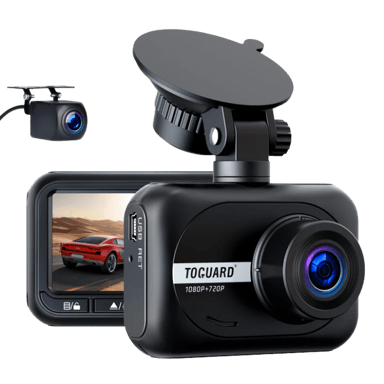
Highlights 36
No extras. Just what matters.Why is Toguard CE18A better than other dash cams ?
Video & Recording Performance
- Features Parking Recording Mode
- Supports WDR
- Supports Loop Recording
- Supports Dual Recording
- Audio Recording Disable Option Available
- Supports Emergency Recording
- Features Audio Recording
- Provides Night Vision Mode
- Low-Light Enhancement Available
- Continuous Recording Available
Display & Interface
- Features Screen Auto-Off
- Provides Built-in Display
- Includes Status LED Indicators
- Offers Physical Control Buttons
Safety, Security & Parking Protection
- Offers G-Sensor
- Features Parking Mode Impact Detection
- Offers File Lock Protection
- Provides Collision Detection
- Offers Parking Mode Motion Detection
Power, Battery & Charging
- Charging While Recording Available
- Provides Cold Start Reliability
- Heat Resistance Design
- Features Auto Power On
- Features Auto Power Off
Storage & File Management
Scroll down for more factsBuild, Dimensions & Mounting
Scroll down for more factsQuick Take
The essentials that matter—nothing extraA fast snapshot of the Toguard CE18A, covering its standout specification and what you can expect right out of the box.

Toguard CE18A is a compact dual-channel dash cam designed to record both front and rear views while driving. It features a wide-angle lens and full HD recording to capture clear footage in everyday driving conditions. With built-in functions like loop recording and parking monitoring, it offers reliable coverage for daily use and basic security.
Quick Specs Breakdown
The key specs that actually matter—no fluff, no guessworkHere’s a streamlined view of the Toguard CE18A key specifications. Compare critical features at a glance before exploring the full specs and hands-on insights below.
What is the front lens field of view?
What sensor type is used?
What is the power consumption?
What type of internal battery does it use?
What is the maximum supported storage?
How long is each video segment?
How are updates delivered?
What support channels are available?
What camera configuration does it use?
What storage media does it use?
What is the front camera resolution?
What is the rear camera resolution?
Does it record while parked?
Does it have a G-sensor?
Does it detect impacts in parking mode?
What is the screen resolution?
What languages are supported?
How are firmware updates performed?
What type of mount is used?
What finish does it have?
Specifications & Facts 138
Specs measured. Drama avoided.Is the Toguard CE18A the best choice in its class? You’ll find out here with full specs, comparisons to similar dash cams, and opinions from the community.
General Information 18

Toguard CE18A Camera Configuration
What camera configuration does it use?
0 Toguard CE18A 0 Votes Front + Rear
Dash Cam in this range Who knows?
Indicates how many cameras and viewing angles are supported.
Toguard CE18A Storage Media Type
What storage media does it use?
0 Toguard CE18A 0 Votes microSD
Dash Cam in this range Who knows?
Specifies the type of storage media used to record video footage.
Toguard CE18A Installation Location
Where is the dash cam installed?
0 Toguard CE18A 0 Votes Front Windshield
Dash Cam in this range Who knows?

Designed for mounting on the Front Windshield to capture forward-facing footage from the driver's perspective.
Indicates the physical installation position inside the vehicle.
Toguard CE18A Release Year
What year was it released?
0 Toguard CE18A 0 Votes 2021
Dash Cam in this range Who knows?
Released in 2021, so the hardware and feature set reflect that generation's capabilities.
Indicates the year the product model was released.
Toguard CE18A Operating Temperature Range
What temperature range does it support?
0 Toguard CE18A 0 Votes 14°F to 140°F
Dash Cam in this range Who knows?
14°F to 140°F corresponds to -10°C to 60°C, which defines the device's recommended operating temperature range and covers most everyday climates.
Defines the temperature range where the dash cam operates reliably.
Toguard CE18A Device Type
What type of device is this?
0 Toguard CE18A 0 Votes Dash Cam
Dash Cam in this range Who knows?
Defines the product category and primary function.
Video & Recording Performance 21
Toguard CE18A Front Camera Resolution
What is the front camera resolution?
0 Toguard CE18A 0 Votes 1080p
Dash Cam in this range Who knows?
Specifies the video resolution of the front-facing camera.
Toguard CE18A Rear Camera Resolution
What is the rear camera resolution?
0 Toguard CE18A 0 Votes 720p
Dash Cam in this range Who knows?
Indicates the resolution of the rear-facing camera.
Toguard CE18A Parking Recording Mode
Does it record while parked?
Yes 0Votes Toguard CE18A
Dash Cam in this range Who knows?
Enables recording while the vehicle is parked.
Toguard CE18A Video Codec
What video codec is used?
0 Toguard CE18A 0 Votes H.264
Dash Cam in this range Who knows?
Encodes video using H.264, a widely compatible codec that balances compression efficiency with playback compatibility.
Defines the compression format used for video files.
Toguard CE18A WDR
Does it support WDR?
Yes 0Votes Toguard CE18A
Dash Cam in this range Who knows?
Wide Dynamic Range (WDR) is enabled to better balance bright and dark areas, improving visibility in challenging lighting conditions.
Enhances visibility in mixed lighting conditions.
Toguard CE18A Loop Recording
Does it support loop recording?
Yes 0Votes Toguard CE18A
Dash Cam in this range Who knows?
Automatically overwrites the oldest files to maintain continuous recording when storage is full, so you don't need to manually manage files.
Automatically overwrites old footage when storage is full.
Camera & Lens System 12
Toguard CE18A Front Lens Field of View
What is the front lens field of view?
Dash Cam in this range Who knows?
Front lens offers a 170° field of view to capture a wide expanse of the road, including multiple lanes and nearby surroundings.
Indicates how wide the front camera can capture the road.
Toguard CE18A Sensor Type
What sensor type is used?
0 Toguard CE18A 0 Votes CMOS
Dash Cam in this range Who knows?
Identifies the imaging sensor technology used.
Toguard CE18A Rear Lens Field of View
What is the rear lens field of view?
Dash Cam in this range Who knows?
Rear lens has a 140° field of view, wide enough to capture neighboring lanes and nearby vehicles for context in incidents.
Defines the viewing angle of the rear-facing lens.
Toguard CE18A Lens Aperture
What is the lens aperture?
0 Toguard CE18A 0 Votes f/2.0
Dash Cam in this range Who knows?
Lens aperture is f/2.0, which helps improve low-light performance compared with smaller apertures.
Describes the lens opening size affecting low-light performance.
Toguard CE18A Lens Element Count
How many lens elements are used?
0 Toguard CE18A 0 Votes 6-layer
Dash Cam in this range Who knows?
Indicates how many glass elements make up the lens.
Toguard CE18A Lens Type
What type of lens is used?
0 Toguard CE18A 0 Votes Glass
Dash Cam in this range Who knows?
Specifies the material and construction of the lens.
Display & Interface 12
Toguard CE18A Screen Resolution
What is the screen resolution?
0 Toguard CE18A 0 Votes 320x240
Dash Cam in this range Who knows?
Defines the pixel resolution of the display.
Toguard CE18A Language Support
What languages are supported?
0 Toguard CE18A 0 Votes English,Spanish,French,German,Italian
Dash Cam in this range Who knows?
Specifies supported system interface languages.
Toguard CE18A Display Size
What is the display size?
Dash Cam in this range Who knows?
Built-in display measures 2.45 inch and 6.22 cm, a compact size suitable for basic status viewing without dominating the windshield.
Measures the diagonal size of the built-in screen.
Toguard CE18A Screen Auto-Off
Does the screen turn off automatically?
Yes 0Votes Toguard CE18A
Dash Cam in this range Who knows?
The screen will automatically turn off after inactivity to reduce driver distraction and conserve power.
Turns off the screen automatically to reduce distraction.
Toguard CE18A Built-in Display
Does it have a built-in display?
Yes 0Votes Toguard CE18A
Dash Cam in this range Who knows?
Indicates whether the dash cam includes an integrated screen.
Toguard CE18A Display Type
What type of display does it use?
0 Toguard CE18A 0 Votes TFT
Dash Cam in this range Who knows?
Describes the screen technology used.
Connectivity & Smart Features 13
Toguard CE18A Firmware Update Method
How are firmware updates performed?
0 Toguard CE18A 0 Votes SD Card
Dash Cam in this range Who knows?
Describes how firmware updates are delivered and installed.
Toguard CE18A Wi-Fi Connectivity
Does it support Wi-Fi?
No 0Votes Toguard CE18A
Dash Cam in this range Who knows?
Indicates whether the dash cam supports Wi-Fi connectivity.
Toguard CE18A Bluetooth Connectivity
Does it support Bluetooth?
No 0Votes Toguard CE18A
Dash Cam in this range Who knows?
Enables short-range wireless communication with other devices.
Toguard CE18A Mobile App Support
Is there a mobile app?
No 0Votes Toguard CE18A
Dash Cam in this range Who knows?
Indicates compatibility with a companion mobile application.
Toguard CE18A Cloud Connectivity
Does it support cloud connectivity?
No 0Votes Toguard CE18A
Dash Cam in this range Who knows?
Allows footage upload and access via cloud services.
Toguard CE18A Live View via App
Can you view live footage in the app?
No 0Votes Toguard CE18A
Dash Cam in this range Who knows?
Enables real-time camera viewing through the mobile app.
Safety, Security & Parking Protection 14
Toguard CE18A G-Sensor
Does it have a G-sensor?
Yes 0Votes Toguard CE18A
Dash Cam in this range Who knows?
Detects sudden impacts or collisions automatically.
Toguard CE18A Parking Mode Impact Detection
Does it detect impacts in parking mode?
Yes 0Votes Toguard CE18A
Dash Cam in this range Who knows?
Detects impacts while the vehicle is parked.
Toguard CE18A File Lock Protection
Are important files protected?
Yes 0Votes Toguard CE18A
Dash Cam in this range Who knows?
Locks important event files to prevent them from being overwritten during loop recording, preserving evidence when needed.
Protects important footage from being overwritten.
Toguard CE18A Collision Detection
Does it detect collisions?
Yes 0Votes Toguard CE18A
Dash Cam in this range Who knows?
Automatically detects collisions while driving.
Toguard CE18A Parking Mode Motion Detection
Does it detect motion while parked?
Yes 0Votes Toguard CE18A
Dash Cam in this range Who knows?
Triggers recording when motion is detected near the vehicle.
Toguard CE18A Battery Drain Protection
Is battery drain protection included?
No 0Votes Toguard CE18A
Dash Cam in this range Who knows?
Prevents excessive vehicle battery drain.
Power, Battery & Charging 13
Toguard CE18A Power Consumption
What is the power consumption?
Dash Cam in this range Who knows?
Power consumption is 5 Watt, which is low and suitable for continuous operation from the vehicle's power supply.
Measures how much power the dash cam consumes.
Toguard CE18A Internal Battery Type
What type of internal battery does it use?
0 Toguard CE18A 0 Votes Li-ion
Dash Cam in this range Who knows?
Specifies the type of built-in battery used.
Toguard CE18A USB Connector Type
What USB connector type is used?
0 Toguard CE18A 0 Votes Mini-USB
Dash Cam in this range Who knows?
Uses Mini-USB for power and data connections, a legacy connector commonly found on older devices.
Specifies the USB port used for power and data.
Toguard CE18A Power Input Voltage
What input voltage does it require?
Dash Cam in this range Who knows?
Defines the voltage required to power the dash cam.
Toguard CE18A Internal Battery Capacity
What is the internal battery capacity?
0 Toguard CE18A 0 Votes 150mAh
Dash Cam in this range Who knows?
Indicates the energy capacity of the internal battery.
Toguard CE18A Supercapacitor
Does it support a supercapacitor?
No 0Votes Toguard CE18A
Dash Cam in this range Who knows?
Indicates support for supercapacitors instead of batteries.
Storage & File Management 11
Toguard CE18A Maximum Supported Storage
What is the maximum supported storage?
Dash Cam in this range Who knows?
Supports up to 32 GB of storage; use a compatible microSD card to ensure reliable recording and file management.
Defines the maximum expandable storage capacity supported.
Toguard CE18A File Segmentation Interval
How long is each video segment?
0 Toguard CE18A 0 Votes 1/3/5 Minutes
Dash Cam in this range Who knows?
Determines how long each recorded video file is.
Toguard CE18A Storage Speed Class Requirement
What storage speed class is required?
0 Toguard CE18A 0 Votes Class 10
Dash Cam in this range Who knows?
Requires Class 10 microSD cards to ensure sustained write speeds for continuous video recording without dropped frames.
Specifies the minimum card speed required for stable recording.
Toguard CE18A File Format
What file format is used?
0 Toguard CE18A 0 Votes MP4
Dash Cam in this range Who knows?
Defines the video file format used for recordings.
Toguard CE18A Overwrite Protection
Are important files protected from overwrite?
Yes 0Votes Toguard CE18A
Dash Cam in this range Who knows?
Prevents protected files from being overwritten.
Toguard CE18A Manual File Lock
Can files be manually locked?
Yes 0Votes Toguard CE18A
Dash Cam in this range Who knows?
Allows users to manually lock important footage.
Build, Dimensions & Mounting 14
Toguard CE18A Mount Type
What type of mount is used?
0 Toguard CE18A 0 Votes Suction, Adhesive
Dash Cam in this range Who knows?
Specifies the mounting mechanism used to secure the dash cam.
Toguard CE18A Finish Type
What finish does it have?
0 Toguard CE18A 0 Votes Matte
Dash Cam in this range Who knows?
Indicates the exterior surface finish of the device.
Toguard CE18A Cable Length
How long is the cable?
Dash Cam in this range Who knows?
Cable length is 21.32 ft and 6.50 m, providing ample reach to route the rear camera wiring through most vehicles.
Measures the length of the included power or camera cable.
Toguard CE18A Main Unit Width
What is the main unit width?
Dash Cam in this range Who knows?
Main unit width is 3.5 inch and 8.89 cm, a moderate size that balances screen visibility with a low-profile mount.
Measures the horizontal width of the main dash cam unit.
Toguard CE18A Main Unit Depth
What is the main unit depth?
Dash Cam in this range Who knows?
Main unit depth is 1.5 inch and 3.81 cm, allowing for a low-profile installation that minimally obstructs driver view.
Measures the front-to-back depth of the main unit.
Toguard CE18A Rear Camera Width
What is the rear camera width?
Dash Cam in this range Who knows?
Rear camera width is 2 inch and 5.08 cm, making the rear module small and easy to position discreetly on the rear window.
Measures the width of the rear camera module.
Maintenance, Updates & Ownership 10
Toguard CE18A Update Delivery Method
How are updates delivered?
0 Toguard CE18A 0 Votes SD Card
Dash Cam in this range Who knows?
Firmware updates are delivered via SD Card, requiring users to copy update files onto a card and insert it into the device.
Specifies how firmware updates are delivered.
Toguard CE18A Customer Support Channels
What support channels are available?
0 Toguard CE18A 0 Votes Email, Chat, Phone
Dash Cam in this range Who knows?
Lists available customer support methods.
Toguard CE18A Firmware Update Frequency
How often are firmware updates provided?
0 Toguard CE18A 0 Votes Rare
Dash Cam in this range Who knows?
Firmware update frequency is listed as Rare, so expect infrequent updates and mostly maintenance-focused fixes.
Describes how frequently firmware updates are released by the manufacturer.
Toguard CE18A Average Lifespan
What is the average lifespan?
Dash Cam in this range Who knows?
Estimated average lifespan is 3 years under normal usage conditions, which is typical for consumer dash cams.
Estimates the typical usable lifespan of the device.
Toguard CE18A Operating Noise Level
How loud is the dash cam?
Dash Cam in this range Who knows?
Operating noise is listed as 0 dB, which implies negligible audible noise or that a measured noise level was not provided by the manufacturer.
Measures any operational noise produced during use.
Toguard CE18A Maintenance Requirement
What maintenance is required?
0 Toguard CE18A 0 Votes Low
Dash Cam in this range Who knows?
Maintenance requirement is Low, typically limited to occasional cleaning of the lens and periodic checks of the mount and cabling.
Describes the level of routine maintenance required to keep the dash cam functioning properly.
Surveys
Because hot takes deserve votes.Toguard CE18A Video Recording Quality
How satisfied are you with the video clarity and detail captured by this dash cam during daytime and nighttime driving?
Toguard CE18A Field of View Coverage
How well does this dash cam capture the road area in front of the vehicle?
Toguard CE18A Night Recording Performance
How effective is this dash cam at recording clear footage in low light or nighttime conditions?
Toguard CE18A Ease of Setup and Installation
How easy is it to install and start using this dash cam for the first time?
Toguard CE18A App and Software Experience
How smooth and user friendly is the app or software used with this dash cam?
Toguard CE18A Reliability and Durability
How reliable does this dash cam feel during daily driving over time?
Toguard CE18A Power and Heat Management
How well does this dash cam handle heat and power during long drives?
Toguard CE18A Storage and Loop Recording
How well does this dash cam manage video storage and loop recording?
Toguard CE18A Design and Build Appeal
How appealing and discreet is the design of this dash cam inside the car?
Toguard CE18A Overall Ease of Daily Use
How convenient is this dash cam to use during everyday driving?
Guides 1
Yes, we brought proof.Files 1
Toguard CE18A Manual (PDF)

Reviews 0
The good, the bad, and the brutally honest.Average Rating

Discussions 0
Thoughts, takes, and hot debates.Awards 0
Only the best made it here.Collections 0
Treasures You’ve picked. No fluff, all fun.More Dash Cams 25
Unlock more awesome finds.Dash Cams like Toguard CE18A 1

Other Toguard Dash Cams 24